
Overview
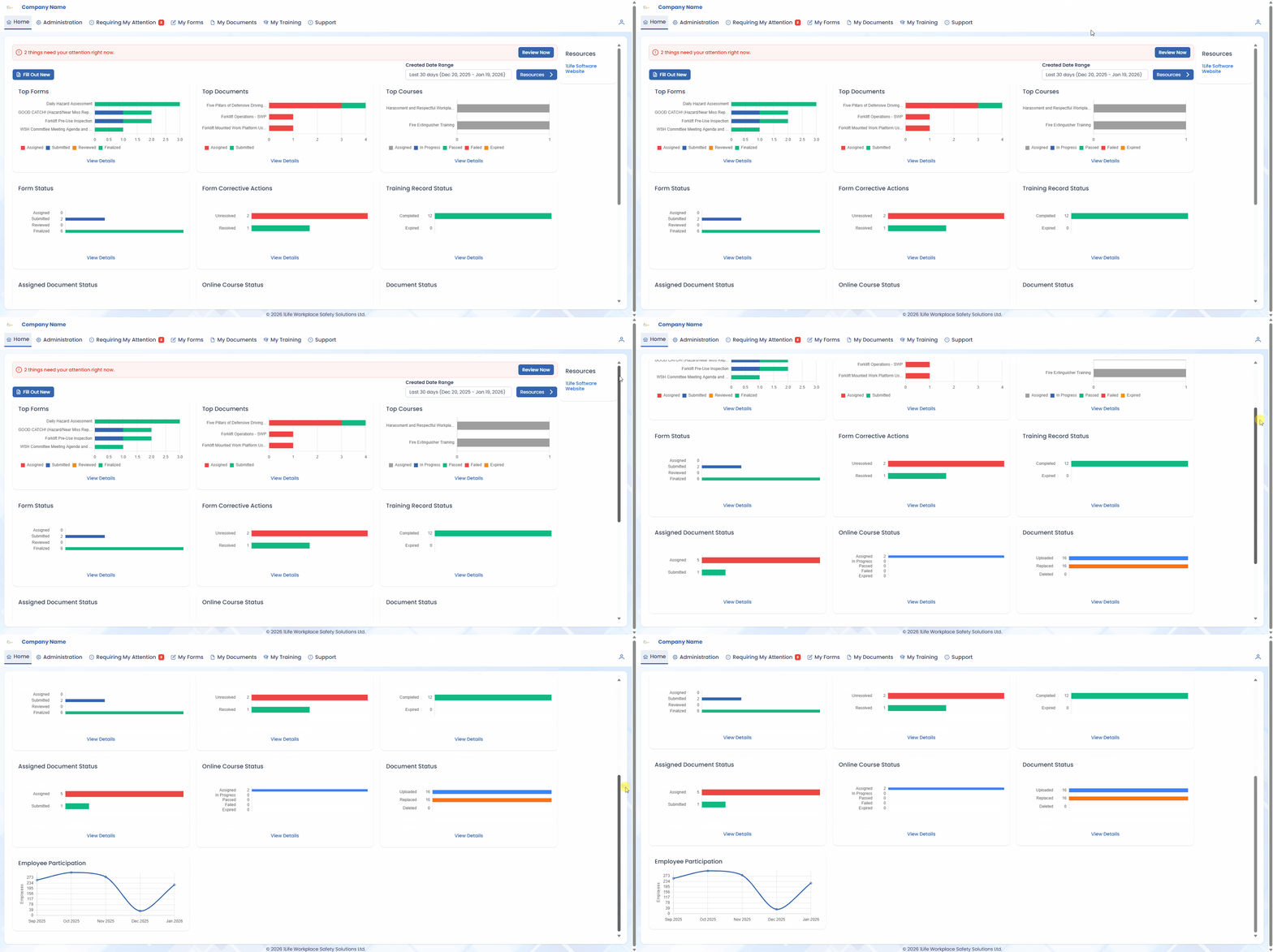
The main 1Life web application has been completely redesigned for a better user experience, with the main goals of:
-
A modern look and feel
- A more consistent experience
- Better user feedback
- A new technology foundation that will make it easier to build out improved features
Other applications including the mobile apps (Android and iOS), the Course Builder, Learning Management System (LMS), and Contractor Manager are not affected by this update and will continue to work as normal.
Major Changes
To reduce space, the top banner of the website has been compacted across all pages.


The main navigation has been expanded so it will now take fewer clicks to get to the page you need. Accessing pages such as Form Templates or User Groups no longer require going through another page.

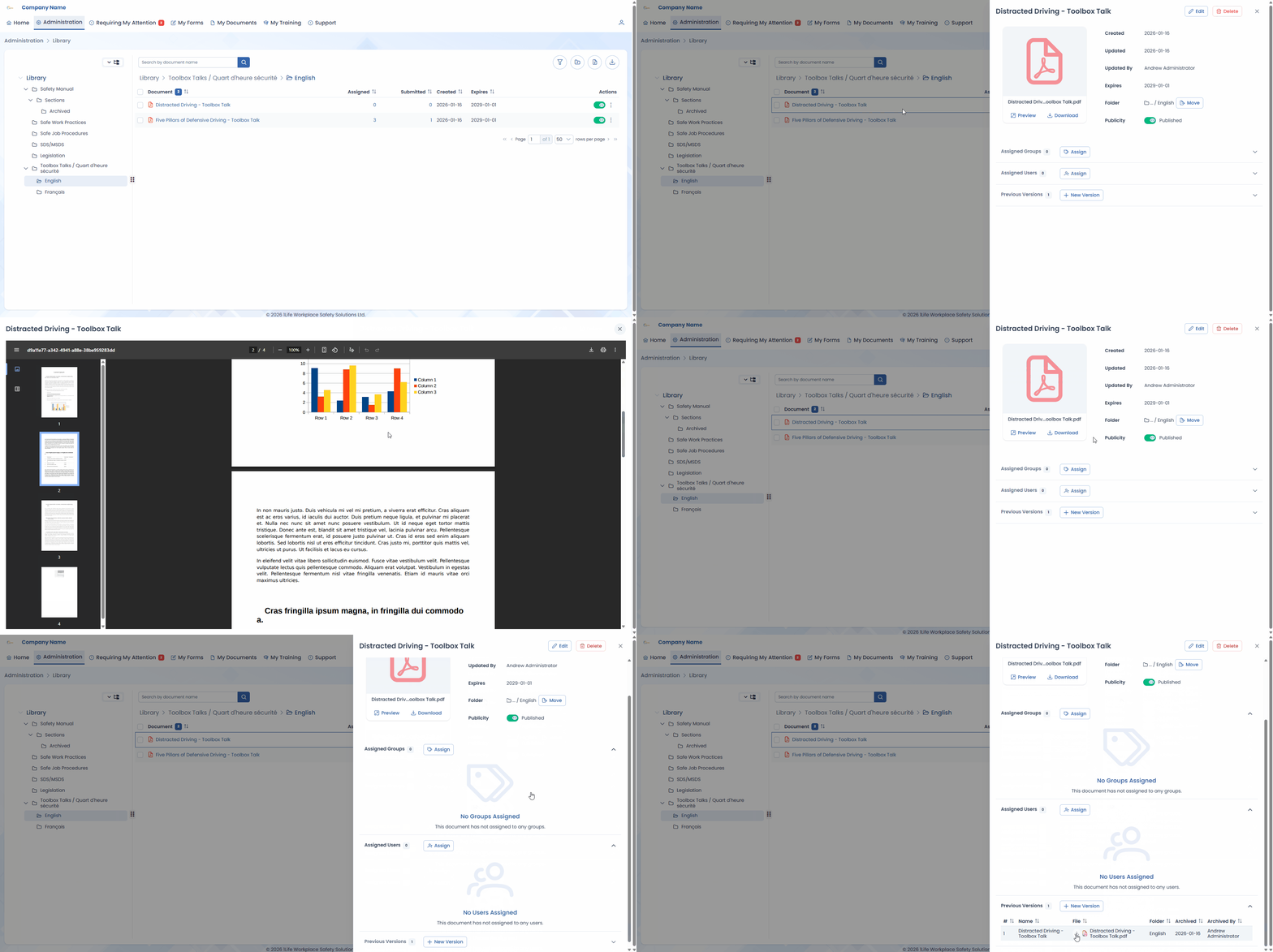
In addition, many items no longer navigate to a new page when viewing their details. Instead, information is displayed in an overlay which is hidden and shown as needed reducing page switching and giving you immediate access to the information you need.
Expanded Dashboard
For software administrators, the Home page dashboard has been expanded to include four (4) new dashboard cards:
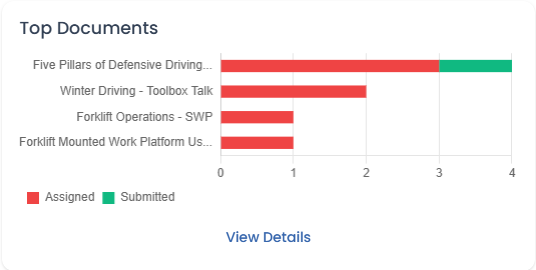
Top Forms
Colour-coded bar chart showing up to five (5) of the most completed Form Templates alongside their status.
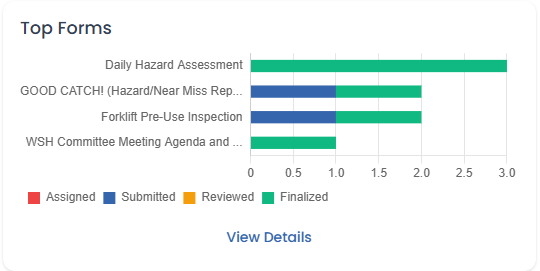
Top Documents
Colour-coded bar chart showing up to five (5) of the most assigned Documents alongside their status.
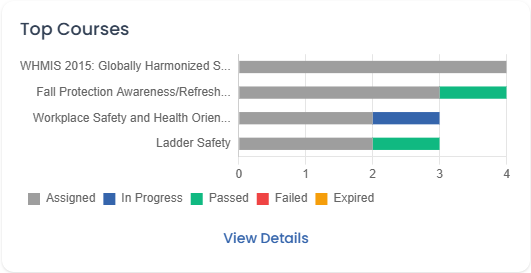
Top Courses
Colour-coded bar chart showing up to five (5) of the most utilized Courses alongside their status.
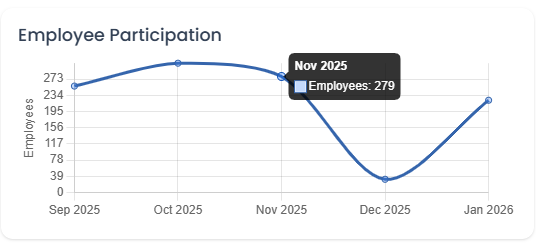
Employee Participation
Line graph showing how many employees have meaningfully participated within 1Life.
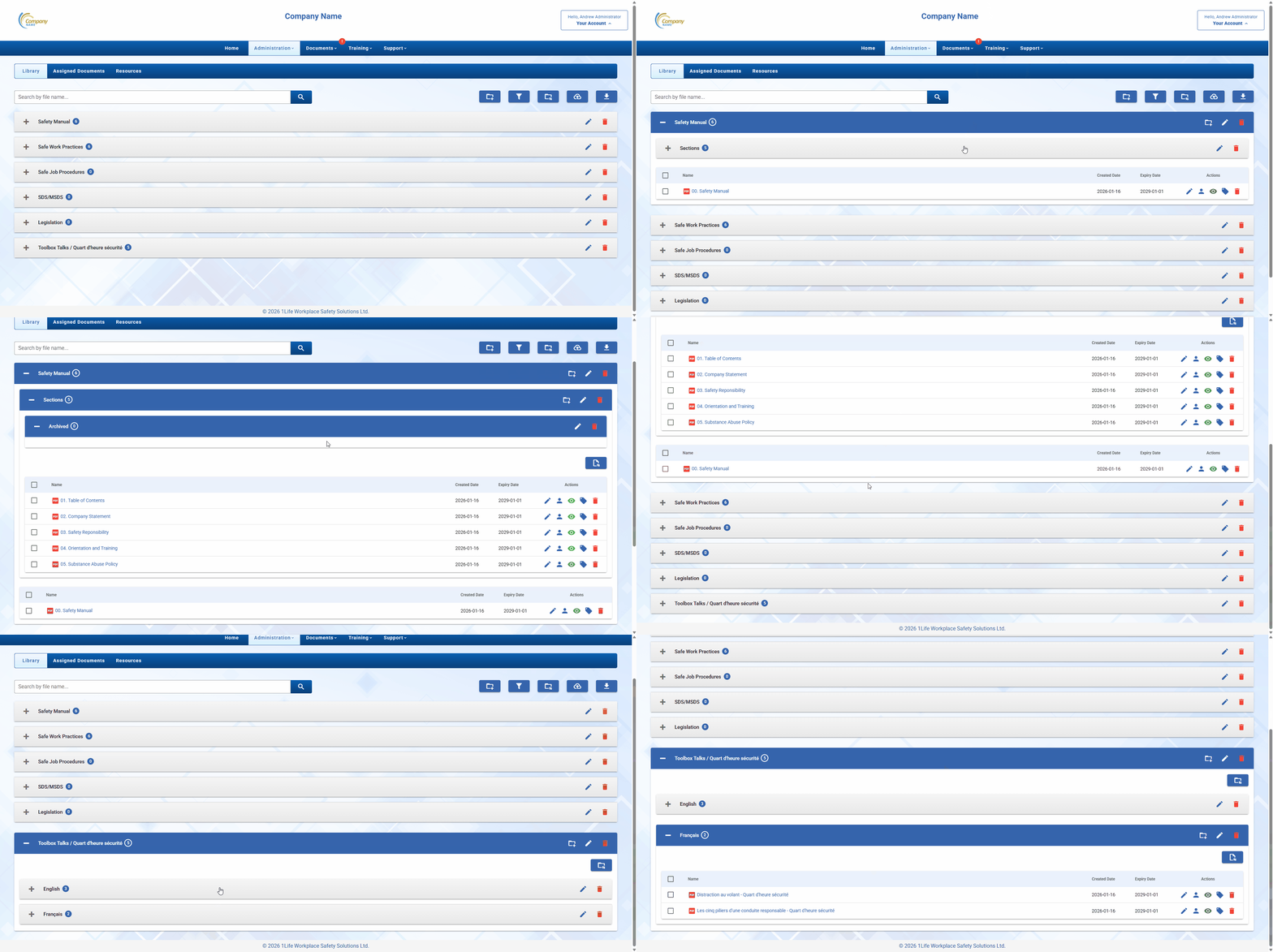
Folder Navigation
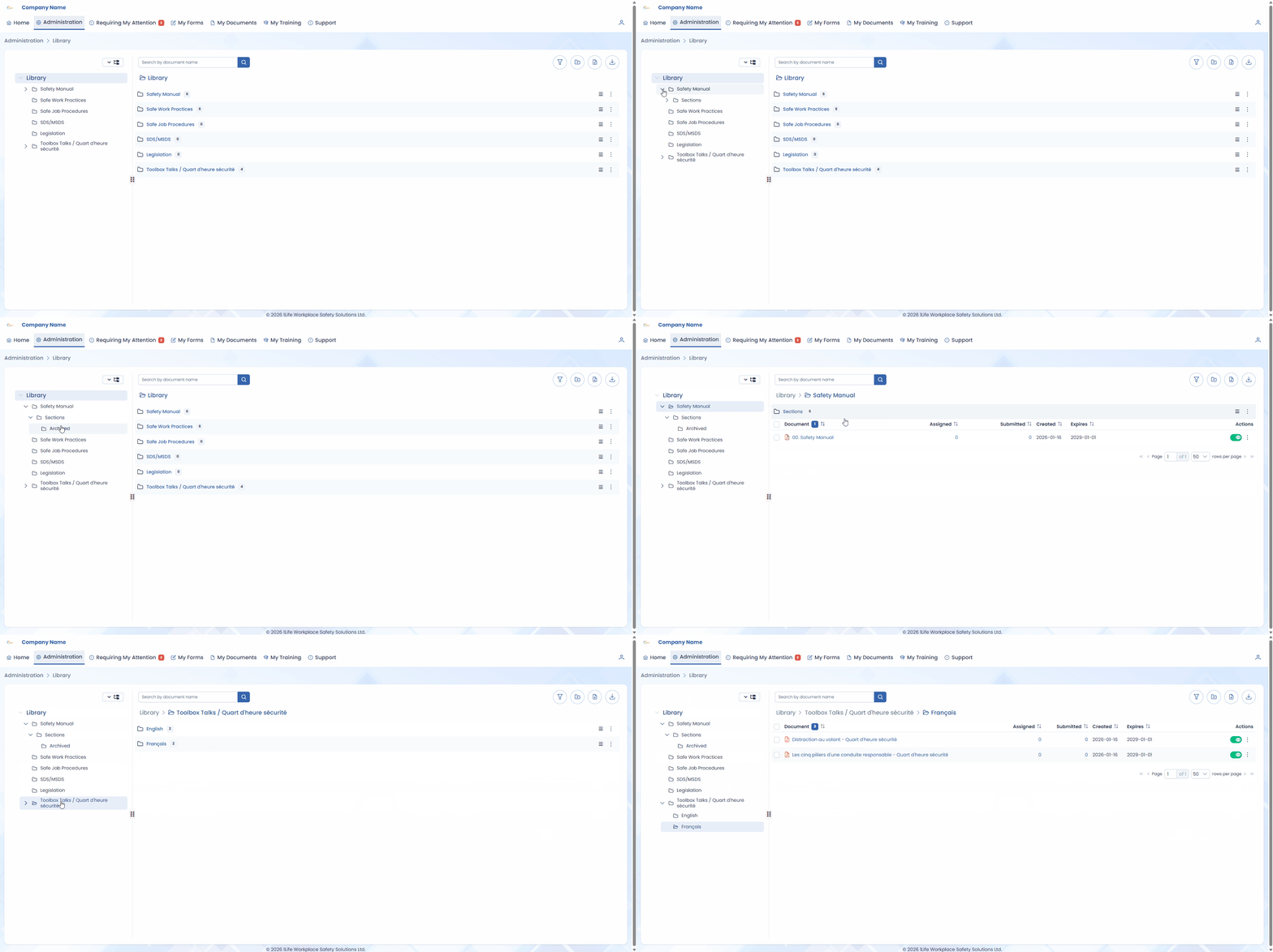
Many aspects of the software that use folders – such as Documents and Training Records – have had their navigation compacted with a navigation tree on the left.
Previously, navigating folders required scrolling vertically down the entire page. Similarly, navigating subfolders required expanding existing folders and scrolling.
With the redesign, a navigation tree will permanently sit at the left side of the screen to allow for seamless folder navigation.
Minor Improvements
Alongside the above, minor quality of life improvements have also been made with the redesign:
-
Clearer save, confirmation, and error messages will reduce those "did it work?" moments.
- Contacts in the Contacts list now have their Job Title and Company shown by default.
- You can now add multiple Projects simultaneously, rather than having to import a spreadsheet.
- Task Groups have been renamed to Task Templates to better define their purpose.
Have Questions?
If you have any questions regarding the web redesign, you can reach us at the following:
-
Send us a ticket in our support portal.
- Email us at support@1lifesoftware.com.
- Give us a call at 204-231-5433 ext. 106.
- Book a 15-minute One-on-One Teams meeting.