
How to Manage Form Tags
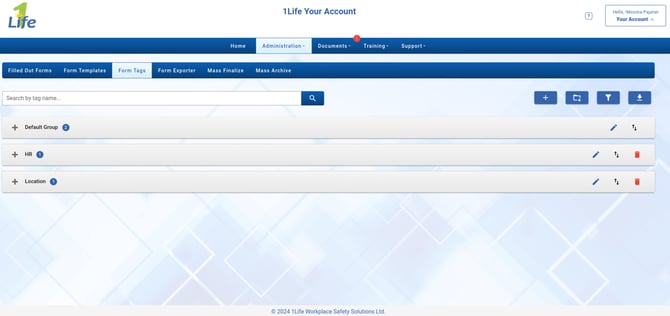
Form Tags are labels that a mobile user can attach to their forms. Here is where we can filter for the metadata within those filled out forms.
-
Click Administration
-
Click Forms from the drop down menu
-
Click Form Tags from the list of tabs
Form Tag Actions
-
Search for a form tag using the search bar
-
Click the plus icon to add a new tag
-
Click the folder icon to add a new form tag group
-
Click the filter icon to filter by name, group or status
-
Click the download icon to export all the form tags
How to Add a New Form Tag
-
Click Administration
-
Click Forms from the drop down menu
-
Click Form Tags from the list of tabs
-
Click the plus icon
-
Enter a name for the tag
-
Enter the tags description
-
Select a group to store the tag within
-
Click Save to accept your changes and create the new form tag