How to Bulk Assign Documents to User Groups
-
Click the tag icon to see currently attached groups
-
Click Attach Groups at the top of this window
-
Select the group you wish to attach
-
Click Confirm to assign the document to all users within that group
How to Delete a Document
-
Click the trash icon beside a given document
-
Click Confirm to permanently delete the document
How to Assign a Document for Review (Bulk Assign)
To assign a document to a user, first locate the document you wish to assign within your Document Library then click the person icon beside the document.
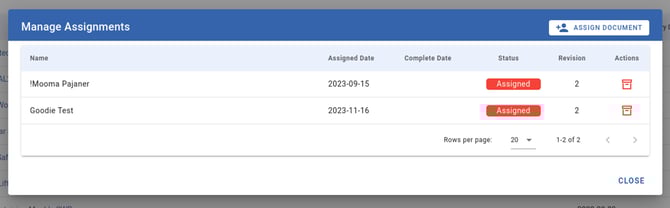
This will display a window that will let you see all current assignments for this document, as well as add or remove an assignment.
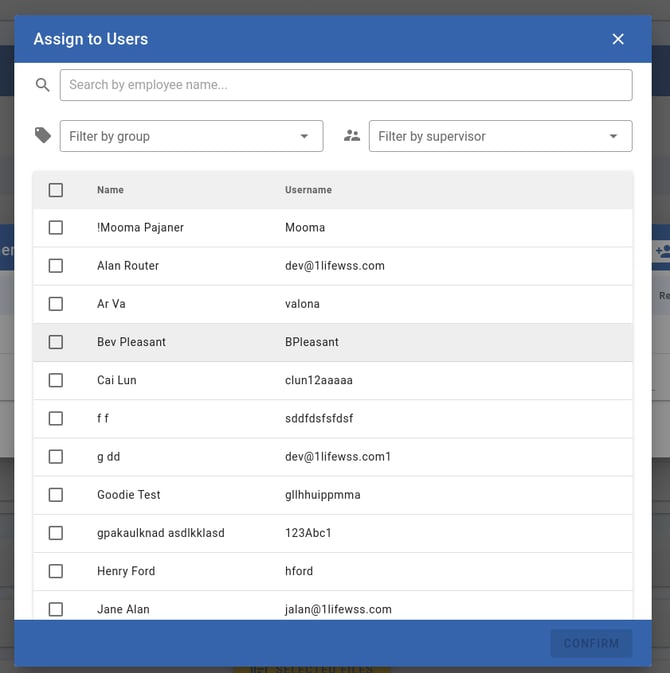
To assign the document:
-
Click the Assign Document button
-
Search or filter the list of users if required
-
Click the checkbox beside a user to select them
-
Enter a due date for each user, or set a global due date for all selected users
-
Click Confirm to assign the document to the selected users
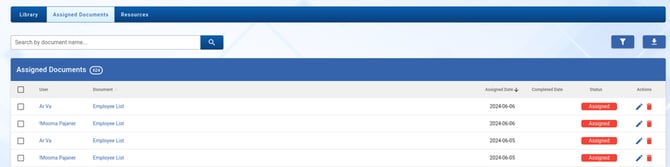
You can now view all your assigned documents by clicking the Assigned Documents tab at the top of the page.