
To add a record from the Resource Library into your company’s document library:
-
Click Administration
-
Click Documents from the drop down menu
-
Click the Resources tab located at the top of the screen
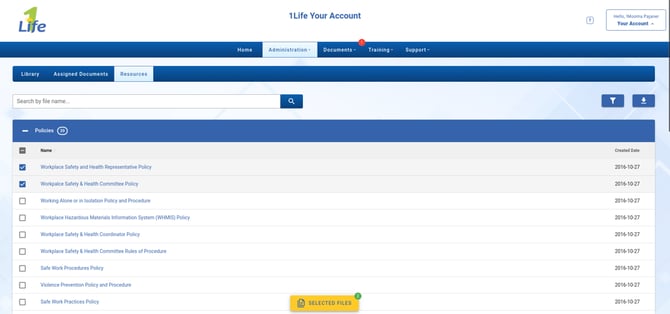
- Click the checkbox beside the resources you wish to add, or click Select All in the group heading. You will notice the Selected Files button appear at the bottom of the page which indicates how many files have been selected
- Click Selected Files to set the folder in which the documents will be saved
- Set if you would like to publish them to be visible to all users by clicking the eye icons
- Click Confirm to import all of the selected documents
A green background means the resource has previously been added to your library.