
Summary
This release delivers the ability to conditionally branch questions on forms based on the answer given, allowing for more control over form flow and completion as well as a simpler end user experience.
Features
- The following question types can now branch additional questions from specified answers:
- Inspection Item (✓, ✕, and N/A)
- Common Hazards (✓ and N/A)
- Checkbox (☑ and ☐)
- Yes/No (Yes, No, and N/A)
- Score (✓, ✕, and N/A)
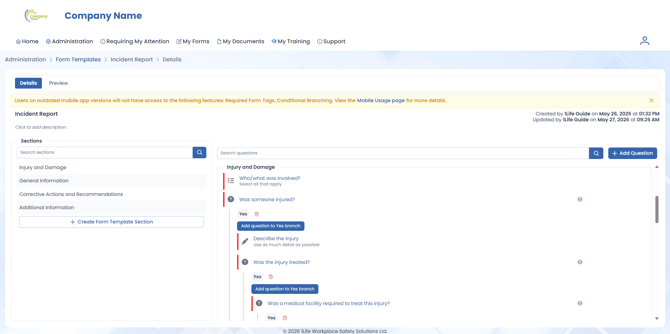
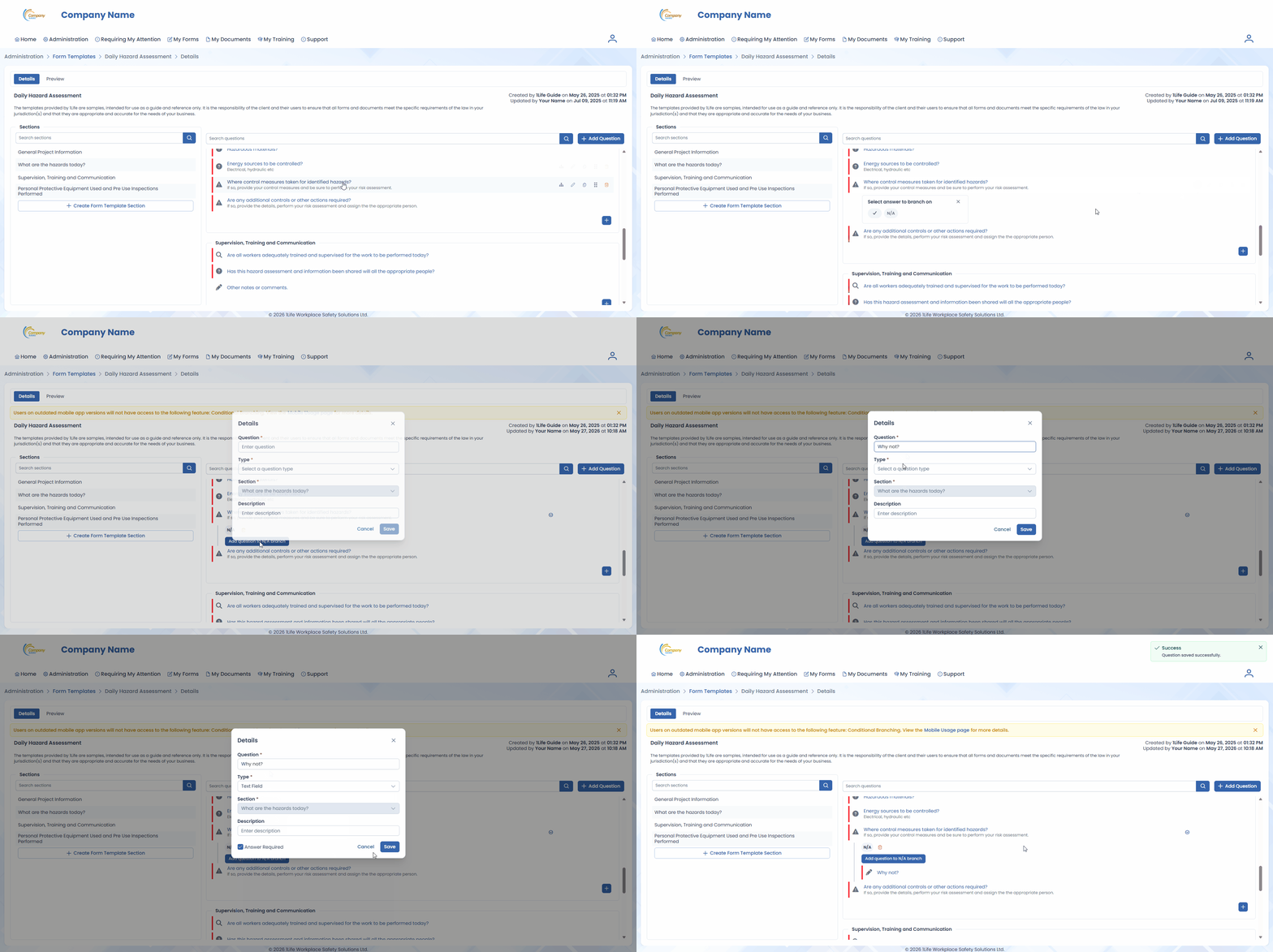
- Branches can be added in the Form Builder by clicking on the Add branch button next to an applicable question, then selecting the answer to branch on.
- Each answer for a single question can be branched.
- Each branch can have a maximum of 10 questions.
- Branches can contain their own branches, up to three (3) levels in depth.
- Branches can have required questions.
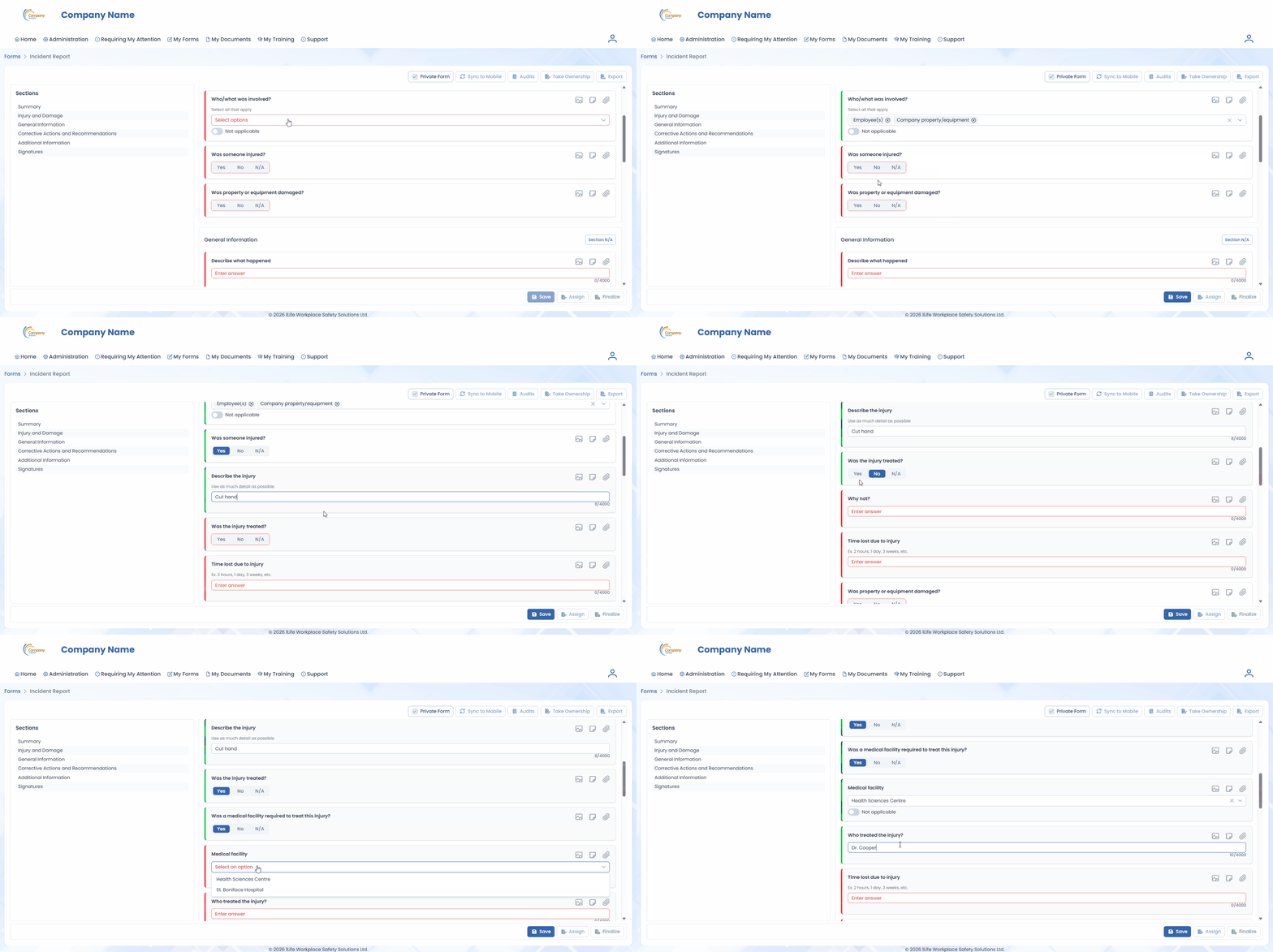
- Selecting an answer with a branch will cause that branch to become active, showing all questions in that branch.
- Exporting forms with branches will only show active branches.