Summary
This release delivers the introduction to 1Life Harmony, a hierarchical approach of linking organizations together. This release focuses on the centralized management aspect of 1Life Harmony.
1Life Harmony will replace the existing Group Administration system.
Features
Account Setup
- Larger organizations can be broken down to separate and distinct entities to denote locations, departments, branches, members, franchisees, clients, legal entities, or companies.
- A single entity is selected to oversee other entities as the Parent, with all other entities reporting to it as a Child.
User Management
- Users in the Parent can be shared to one (1) or more Child accounts.
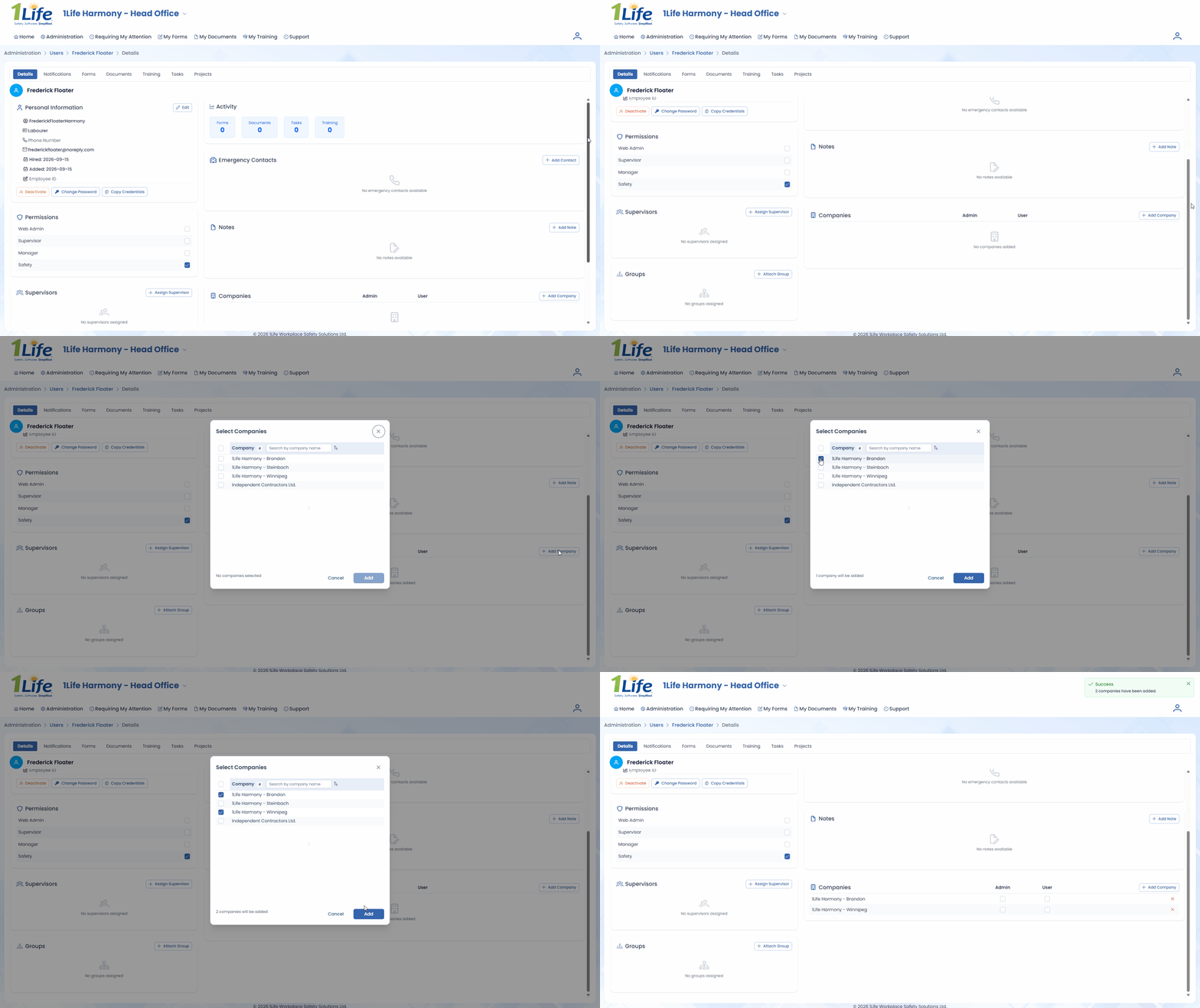
- Shared Users who are granted the Admin permission for a Child can perform administrative actions within that Child.

The Admin permission is ideal for any employee that needs to perform administrative duties within a particular entity, such as IT, HR, or other administrative roles.
- Shared Users who are granted the User permission for a Child can perform end use actions within that Child.
- Some data, such as Permissions, Supervisors, and User Groups, are tailored on a per-Child basis to ensure appropriate responsibilities within each Child.

The User permission is ideal for any employee that needs to complete documentation within a particular entity, such as regional management and employees working between locations.
- Shared Users who are granted both the Admin and User permissions for a Child can perform both administrative and end use actions within that Child.

Having both permissions is ideal for any employee that needs full access within a particular entity, such as top-level administrators.
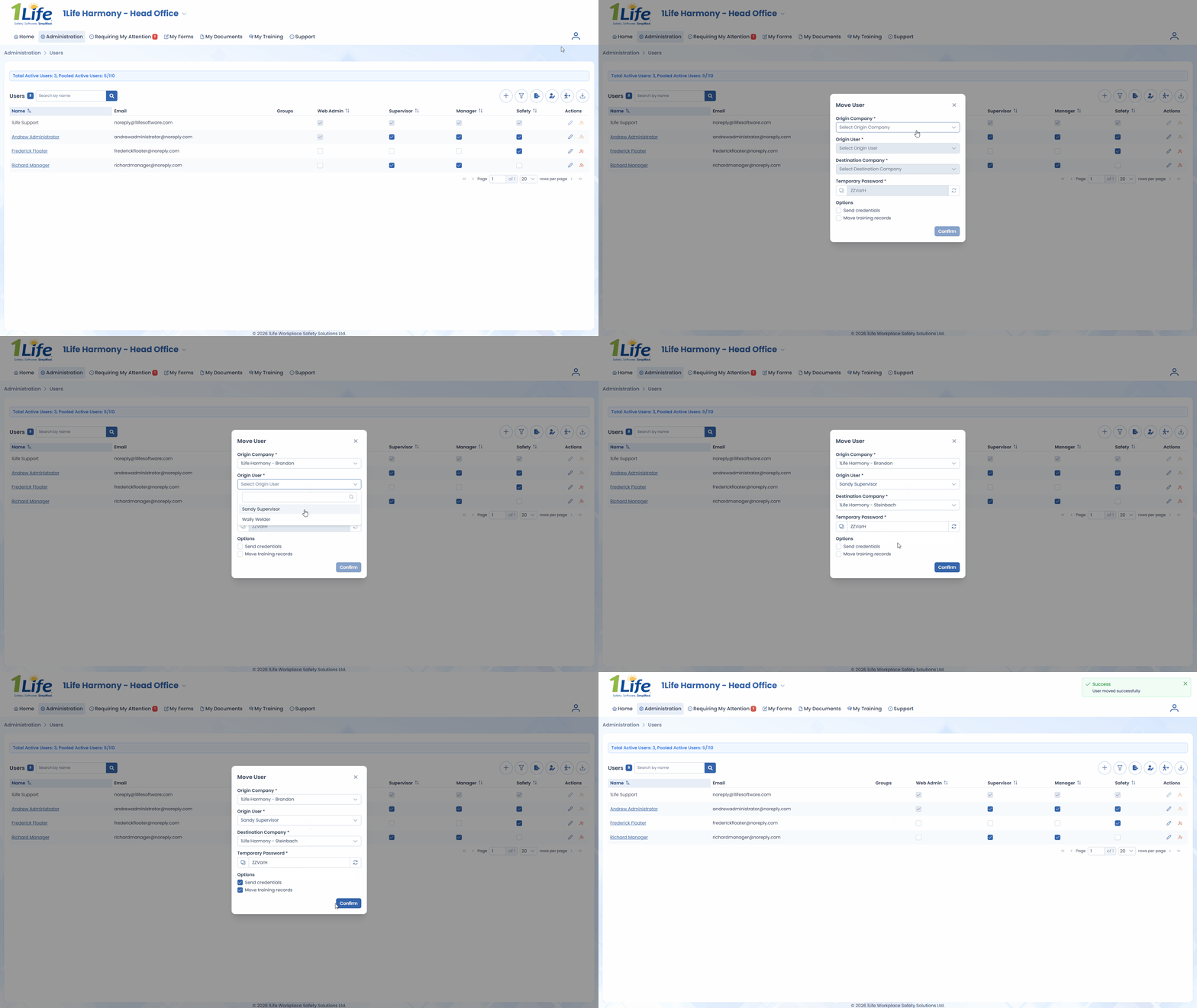
- Users can be moved between accounts.
Document Management
- Documents in the Parent can be shared to one (1) or more Child accounts. Shared Documents have their content centrally managed within the Parent and have their operational flow managed on a per-Child basis.
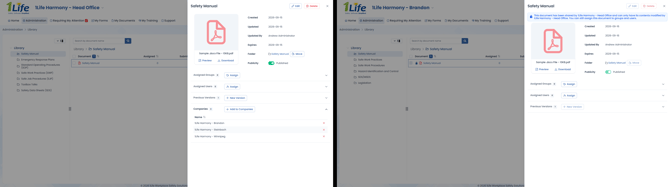
Shared Documents are ideal for standardized manuals, policies, procedures, and other documentation mandated by a higher authority.
- Resource Documents can be provided by the Parent to one (1) or more Child accounts. Resource Documents can be imported on a per-Child basis, with their content and operational flow managed by that Child.
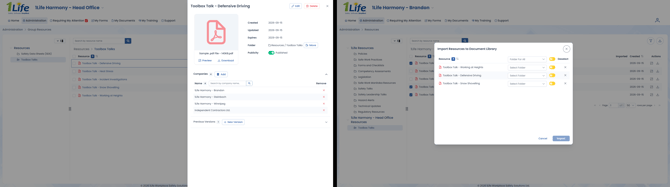
Resource Documents are ideal for providing templated or guideline resources to autonomous entities within an organization.
Form Template Management
- Form Templates in the Parent can be shared to one (1) or more Child accounts. Shared Form Templates have their content centrally managed within the Parent and have their operational flow managed on a per-Child basis.
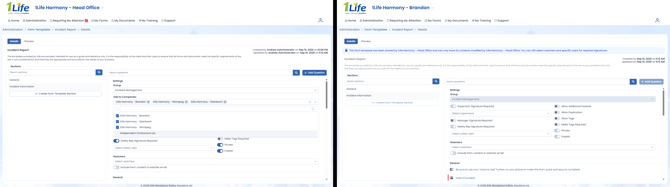
Shared Form Templates are ideal for standardized reports, inspections, or assessments mandated by a higher authority.
- Resource Form Templates can be provided by the Parent to one (1) or more Child accounts. Resource Form Templates can be imported on a per-Child basis, with their content and operational flow managed by that Child.
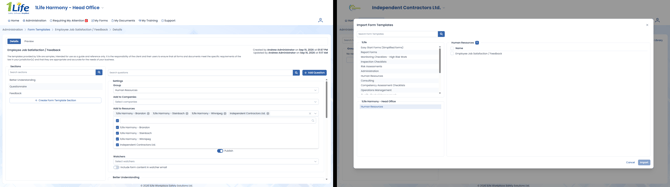
Resource Form Templates are ideal for providing templated or guideline resources to autonomous entities within an organization.
Course Management
- Custom Courses in the Parent can be shared to one (1) or more Child accounts. Shared Courses have their content centrally managed within the Parent and have their operational flow managed on a per-Child basis.
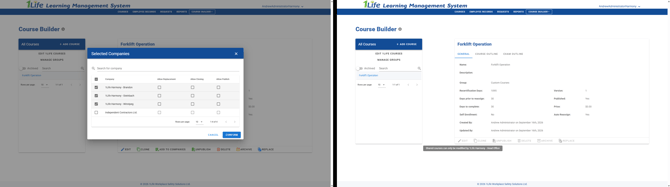
Shared custom Courses are ideal for organization-wide training.
- Shared custom Courses with Allow Replacement enabled will allow that Child to replace the shared custom Course with their own variant.
This option is ideal for custom Courses that are meant to be replaced with a tailored per-Child variant. This option is generally paired with the Allow Cloning setting.
- Shared custom Courses with Allow Cloning enabled will allow that Child to clone the custom Course and tailor it for their own purposes.
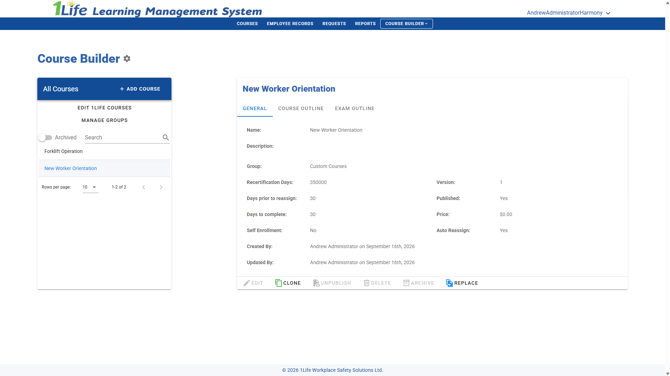
This option is ideal for custom Courses that are meant to be templates for a Child to tailor to their specific needs, such as a generalized orientation.
- Shared custom Courses with Allow Publish enabled will allow that Child to dictate whether the custom Course is available for their staff to enroll.
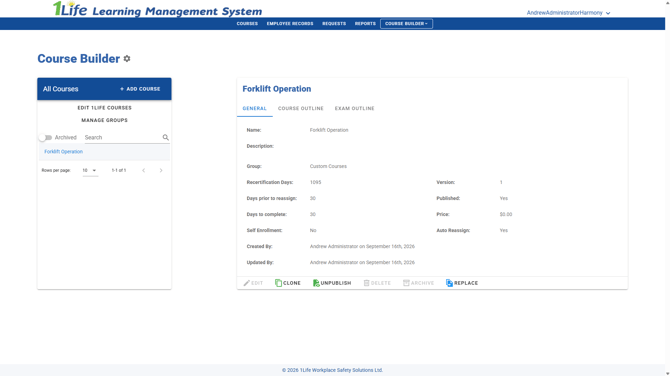
This option is ideal for custom Courses that are meant to be templated or guideline resources to autonomous entities within an organization.
Company Management
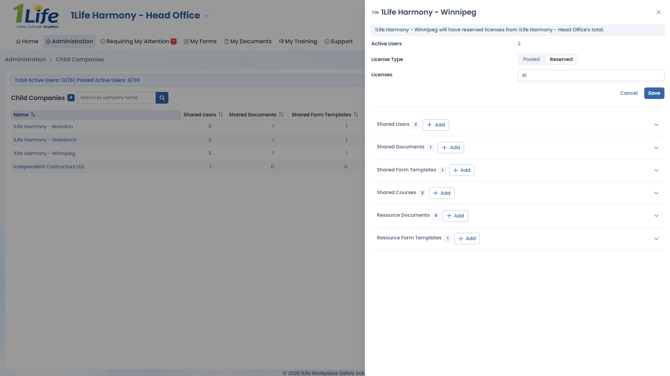
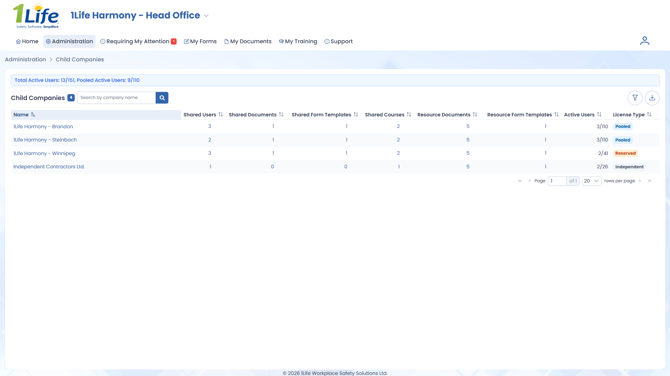
- A new Child Companies page allows for management of Child accounts from the account perspective.
License Management
- Child accounts have a License Type which determine how their licenses are handled:
- Pooled licenses are the default License Type and are a communally shared pool of licenses with the Parent and other Child accounts.
- Reserved licenses are a reserved portion of the pool for a specific Child.
- Independent licenses are not controlled by the Parent.